Over the past few days, I’ve been talking a lot about moving websites and migrations and static sites.
But today, let’s focus on rebuilding websites with AI.
If you read yesterday’s post, you’ll know I just use simple words straight out of my mind when I prompt AI.
Then I add more detail whenever I notice something AI needs to know about the project.
It is actually that simple.
We don’t have to make everything so complicated just because it’s AI. If anything, AI can be a lot more verbose if we don’t instruct it to be otherwise. It aims to please, you know. And please it does. *winks*
The same goes for your website. You don’t have to throw it away and start again.
Why “starting over” isn’t always the right move
Your existing website isn’t just a design. It’s:
- Words you’ve already written, some of them really good
- A brand people recognise, like your colours, your fonts and your photos
- Pages people visit (your analytics will show you which)
- Addresses that are saved, shared and found on Google
When you start from scratch, you have to rebuild all of that too. When you rebuild, you carry it forward and only change what isn’t working.
So, here are the simple, short, sweet steps to rebuild your website with AI:
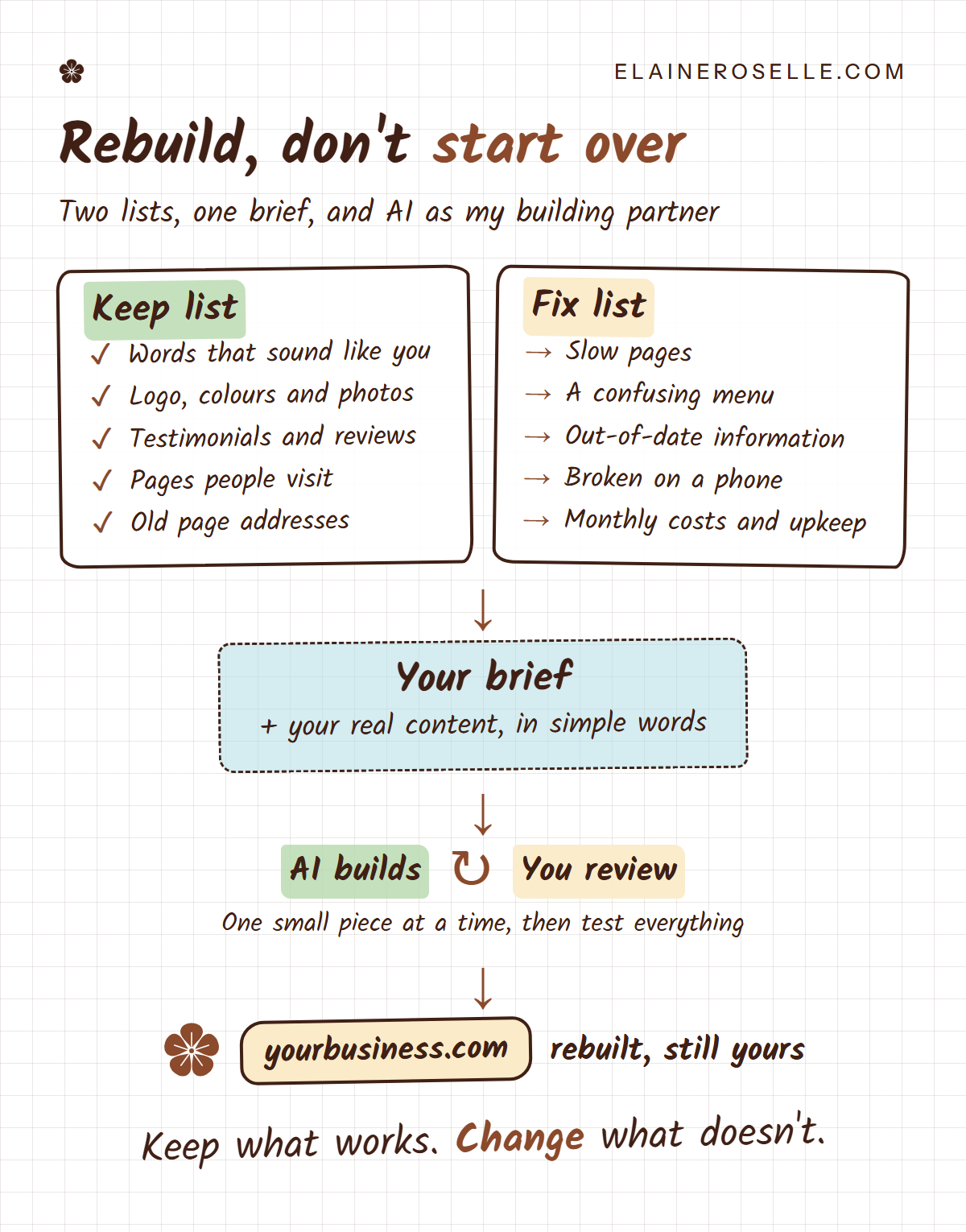
Step 1: Make a keep list
Go through your current site and write down what stays:
- Words that still sound like you and still explain what you do
- Your logo, colours, fonts and photos
- Testimonials and reviews
- The pages people actually visit
- Your old page addresses (you’ll redirect them later)
When I rebuilt elaineroselle.com, my keep list started with twenty years of blog posts, going back to 2006. Those words were never the problem. The old setup underneath them was.
Step 2: Make a fix list
Then be honest about what isn’t working:
- Pages that load slowly
- A menu that’s confusing or too long
- Information that’s out of date
- Anything that looks broken on a phone
- Things that cost you money or time every month
Step 3: Turn both lists into a brief
Write a short brief in simple words: who you help, which pages you need, what each page should do, and the look and feel you want to keep.
Remember: you’re not writing code. You’re writing instructions a thoughtful builder could follow.
That’s exactly why I built my free Website Prompt Generator. It asks a few questions about your business and turns your answers into a brief you can give to an AI coding tool.
Step 4: Give AI your brief and your content
When AI starts from nothing, it fills the gaps with guesses: generic words, a stock look, pages you didn’t ask for. When it starts from your brief and your real content, it builds your website, just on a simpler foundation.
I use Claude Code for this, with a structured workflow so it builds one small piece at a time instead of everything at once. I’ve written more about why I plan before I build.
Step 5: Review, refine, repeat
AI does the typing. You make the decisions.
After each step, look at what changed. Does it still sound like you? Does it look right on your phone? Is anything missing from your keep list? If something’s off, say so and let AI fix it. This back-and-forth is where the website becomes yours.
Step 6: Test it before anyone else sees it
Before you publish:
- Check every page on your phone and your laptop
- Click every link and send a message through every form
- Make sure your old addresses redirect to the right new pages
- Check your page titles and descriptions for Google
Then publish, and keep improving it little by little.
AI does the typing. You make the decisions.
What I’d tell you as a friend
You don’t need to know how to code to do this. You will need a bit of patience with setup: installing a tool or two, following some instructions, and getting your hosting ready. That part is very learnable.
You’re in charge now and you’ve got this!
Let AI handle the code. You decide what your website says, what it keeps and when it’s ready.
And if you’d rather hand the whole rebuild to someone else, that’s what I do now. I build simple, modern websites for small businesses: fast, mobile-friendly, and yours to keep. You can see the packages and book yours at Small Business Websites.
Want to do this yourself?
Start with the free Website Prompt Generator and make your keep list. Reply by email and tell me the one thing you’d never want to lose from your current website.
Still learning with you, little by little. 🤎
xo,
Elaine Roselle
This post was drafted with the help of AI from my planning notes and build history. It is carefully edited to fit my own voice.