Design has always been a rabbit hole for me.
I would have an idea for a website or an offer and then jot down all the notes and outlines.
Then when it came to the actual graphic design, I’d freeze. Again.
I am not even sure where this issue of mine is coming from. Maybe, in the past, my own drawings or designs were not received so positively. Maybe I just compare my own work with other people’s and think mine isn’t as good.
But whatever the reason is, design has kept me from the most critical parts of online business: creating products, creating content, and making sales pages.
It’s… a gnarly pattern.
Then comes AI. It generates, builds and rebuilds, and helps me design my offers like it knows my brand like the back of its hand (provided I tell it what that hand looks like. Lol.)
So now, when I build a website, a design system is one of the first pages I make. It acts as my guide as well as AI’s and it makes sure my pages can both be SEO-friendly AND aesthetically consistent. Win-win!
What a design system page is
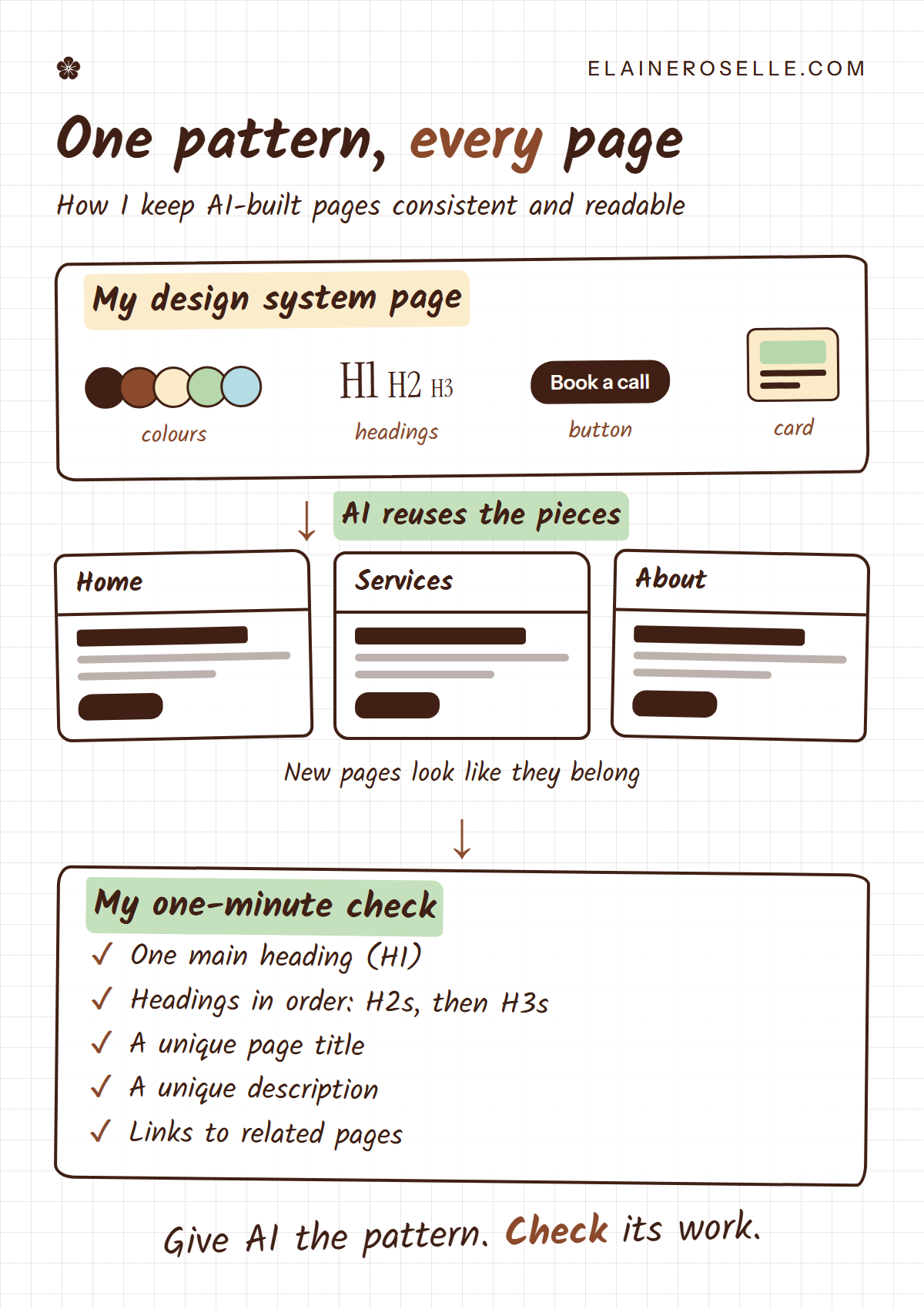
It’s a single page on your website that shows all your building blocks in one place: your colours, fonts, headings, buttons, cards, quotes and so on. Mine lives at elaineroselle.com/design-system.
It’s not for visitors, really. It’s more for me, and for AI.
When I ask for a new page, I point AI at the design system and say “use these pieces”. Instead of guessing what a button should look like, it copies the pattern that’s already there.
The result? New pages look like they belong. And because the pieces are built properly once, they stay properly built every time they’re reused.
AI is brilliant at repeating a pattern. It's not so good at inventing a consistent one from scratch.
Why consistency helps SEO
Search engines read your page’s structure, not just its words. A consistent structure makes your site easier to understand:
- Headings that mean something. Your main heading (the H1) says what the page is about. Smaller headings (H2, H3) break it into sections, in order. If something is only big and bold for style, it shouldn’t be a heading.
- Pages that follow the same pattern. When every service page is laid out the same way, it’s easier for people and search engines to find their way around.
- Fewer mistakes to repeat. Fix a problem once in your design system, and every page that uses it gets the fix.
My one-minute check for every new page
Before any new page goes live, I check five things:
- One main heading. Exactly one H1, and it says what the page is about.
- Headings in order. H2s for sections, H3s inside them. No skipping about.
- A unique page title. The title that shows in the browser tab and on Google belongs to this page only.
- A unique description. One or two sentences that tell someone on Google why this page is worth clicking.
- Links to related pages. Every page should link to at least one other relevant page on your site, so nothing is stranded on its own.
How to ask AI for a consistent page
When I build a new page, my request looks something like this:
Build a new page for [topic]. Use only the components on the design system page. Give it one H1, then H2 sections in order. Write a unique page title and description. Link to [related page]. Don't add new colours or styles.Notice what it does: it tells AI where the patterns are, what the structure should be, and what not to invent. That last line saves me a lot of tidying up.
If you don’t have a design system yet
You don’t need a fancy one. Start with a page that shows:
- Your colours
- Your heading styles (H1 to H3) and body text
- Your button
- One card or section layout you use often
Ask AI to build it from your existing site, check it looks right, and then use it every time you make something new. It grows as your site grows.
The bigger lesson
Design doesn’t always have to be the thing that stops you. And maybe sometimes, you can actually DIY it with the help of AI.
AI is brilliant at repeating a pattern. It’s not so good at inventing a consistent one from scratch, page after page. So give it the pattern, check its work, and let it do what it does best.
But design is also something you learn and iterate over time.
I did not just come out of the womb knowing what good designs and design systems look like.
I had to actually learn from other people and get inspired by their work too.
That’s the thing about art, right? Nothing is ever completely original. It’s always inspired, and that’s the beautiful thing about it.
If you’re planning a new or rebuilt website, my free Website Prompt Generator helps you write the brief, including the look and feel you want to keep. Or if you’d rather I build it for you, here’s how I work.
Which page on your website are you least sure about? Reply by email and tell me.
Still learning with you, little by little. 🤎
xo,
Elaine Roselle
This post was drafted with the help of AI from my planning notes and build history. It is carefully edited to fit my own voice.